Toggle
[PROTOTYPE]
------
Toggle is a game about the simplest form of interaction: selecting and activating something. It's a game about rules and interactions, cause and effect, or a game about pressing buttons.
------
How to play:
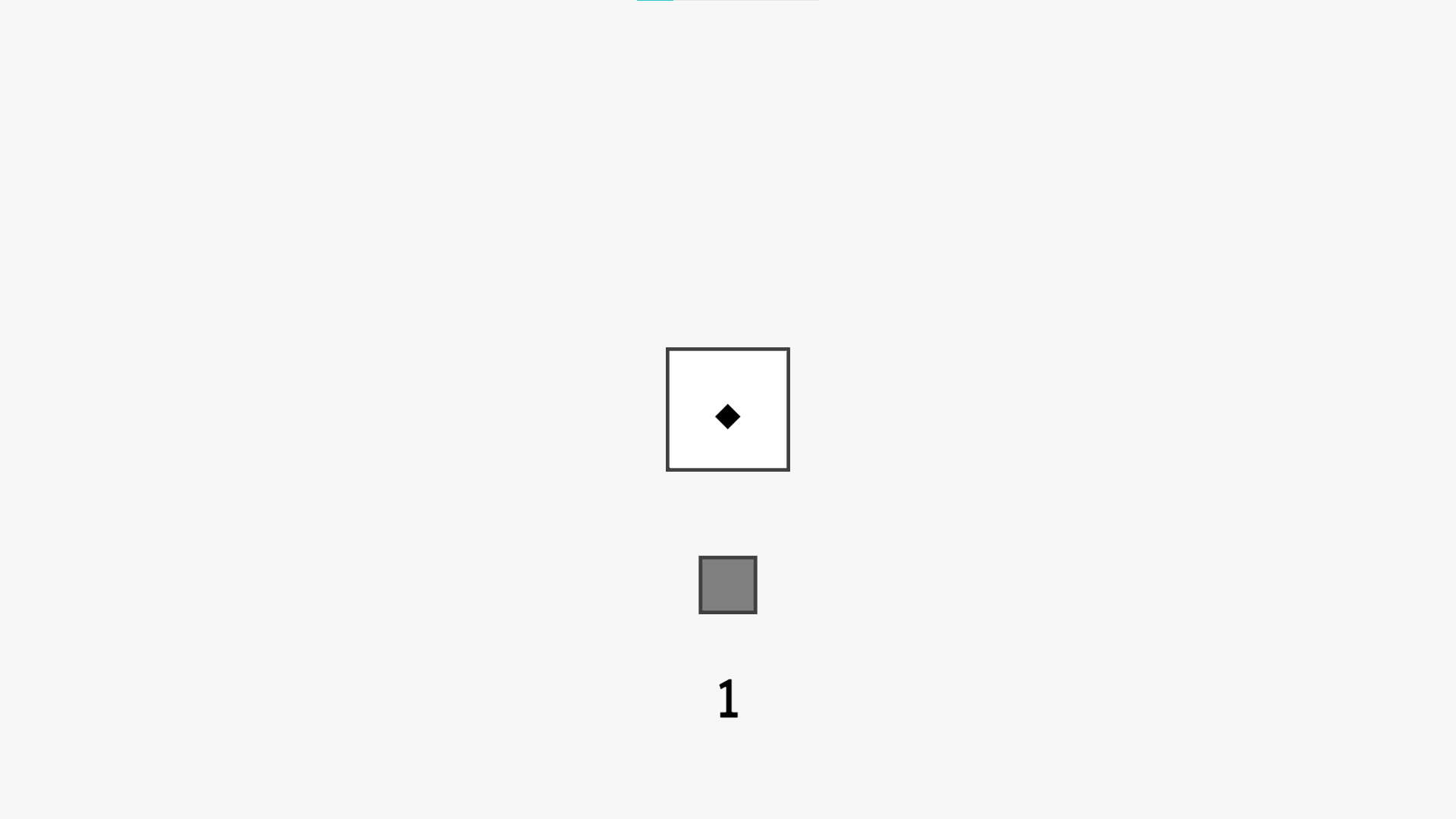
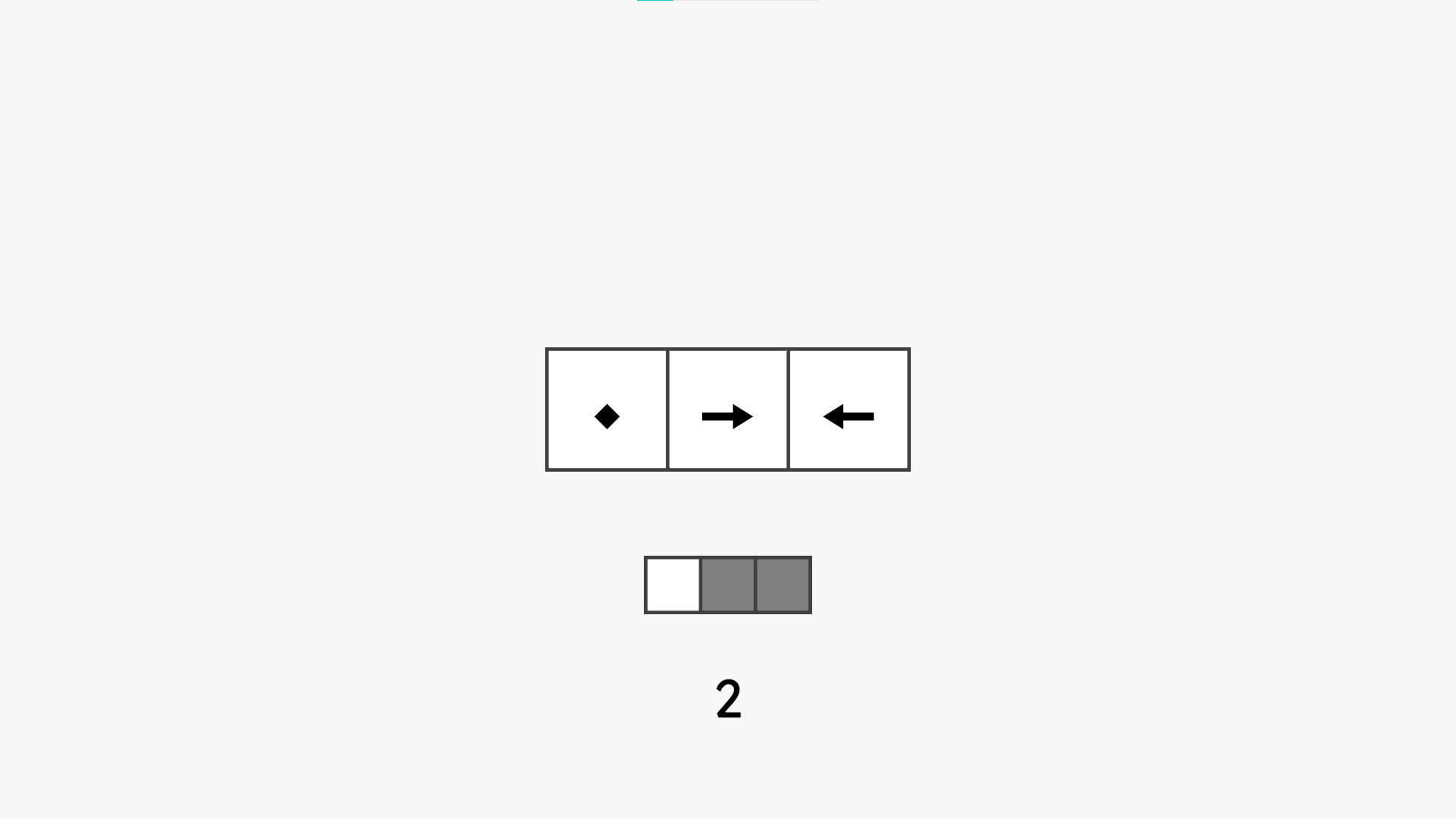
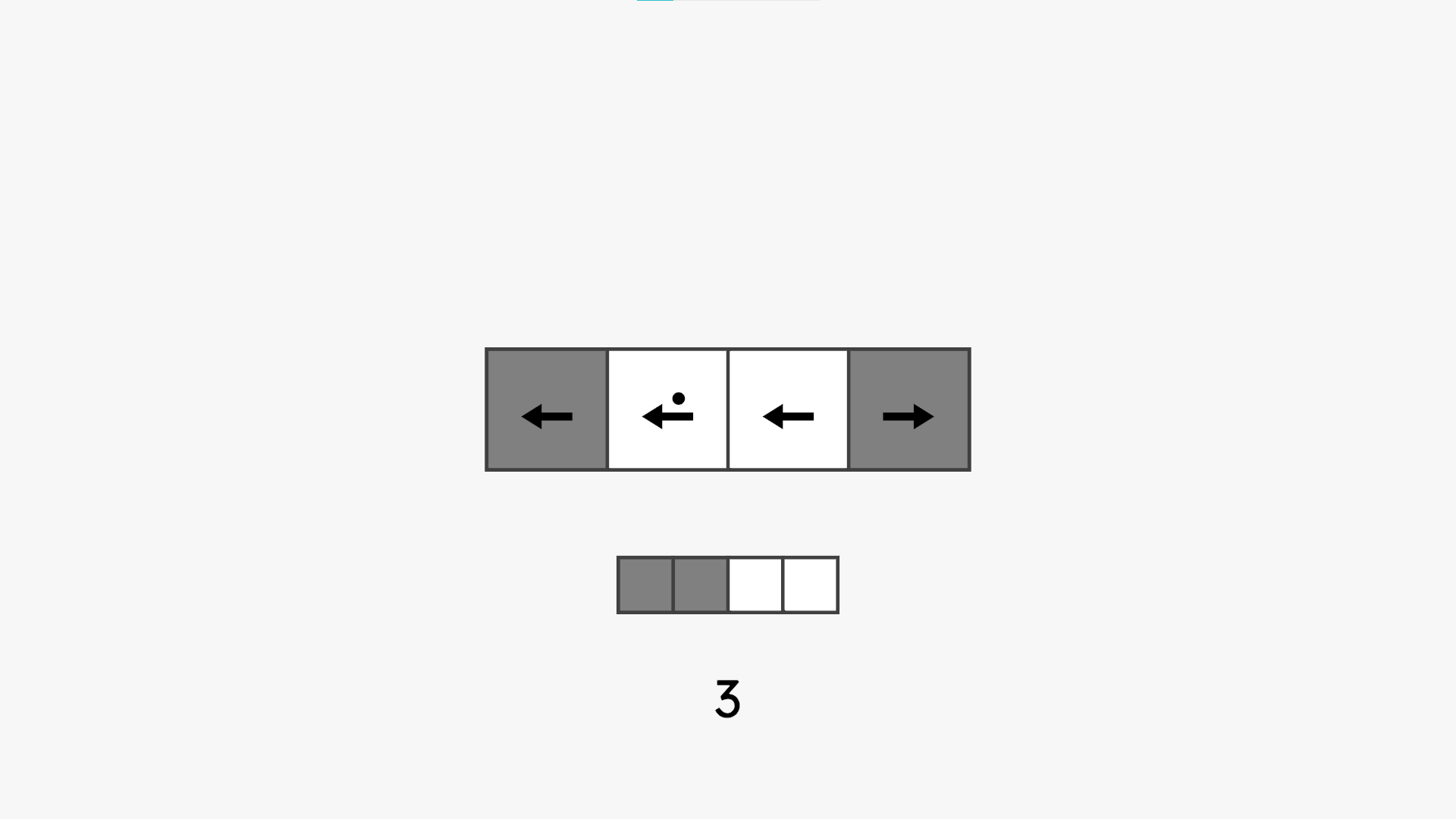
The goal of the game is to change the colors of the middle interactive set of squares so they match the other array of squares underneath in thespecified number of clicks shown at the bottom of the screen.
Squares can be in two states, represented by two different colors: black and white.
- Click on squares to toggle other squares (and/or themselves) between these two states.
- A diamond shape indicates that the squares targets itself to be toggled when clicked.
- Left and right arrows indicate that the square targets its immediate neighbour(s).
- Multiple shapes indicate that the square has multiple toggle targets which will all be toggled simultaneously when clicked.
- A dot on a square indicates that, when it is targeted and toggled by another clicked square, it will toggle its own target(s) subsequently as well
The buttons at the top-left side of the screen are, from left to right:
- Reset level
- Undo
- Redo
- Alt-F4 to quit the game (if you downloaded the game on Windows)
------
"The most minimalist game I ever made"
The conceptual foundation for Toggle is inspired by Dag Svanaes’s exploration of interactivity in his 2000 book Understanding Interactivity. In this book, Svanaes discusses experiments involving extremely simple interactive systems, such as a single white square that turns black when touched. In more complex iterations, users were presented with arrays of squares where clicking one could affect others. These experiments were not intentionally games. Their engagement was purely exploratory, with no explicit reason to click any specific square. Instead, they served to investigate user interpretations of cause and effect in interactive systems.
My intention was to transform this minimal interactive system into a game. According to Brian Upton (2015), that meant creating a context where players can make meaningful choices. To do that, designers need to add elements like goals and predictable outcomes.
In Svanaes’s system, interactions were purposeless and unpredictable. Therefore, there was no reason for users to prefer one interaction over another, nor any way to anticipate the outcome of a click. To address this, I introduced two preliminary elements: a goal and a degree of predictability .
By adding a visible configuration of colored squares to match as a goal array, players now had a clear reason to engage with the system and to consider the consequences of their actions. This change introduced deliberation and strategy.
The next step was to introduce signifiers to aid player decision-making. I implemented a system of arrows. This maintained the minimalist aesthetic while providing necessary feedforward to the player, striking a balance between abstraction and usability.
I then quickly developed the desire to expand on the concept in order to explore more playful possibilities of interaction with these squares. I began to wonder how the game could evolve while remaining true to its minimalist core.
Download
Click download now to get access to the following files:


Comments
Log in with itch.io to leave a comment.
I like it
❤️❤️